← All courses

Graphic Design

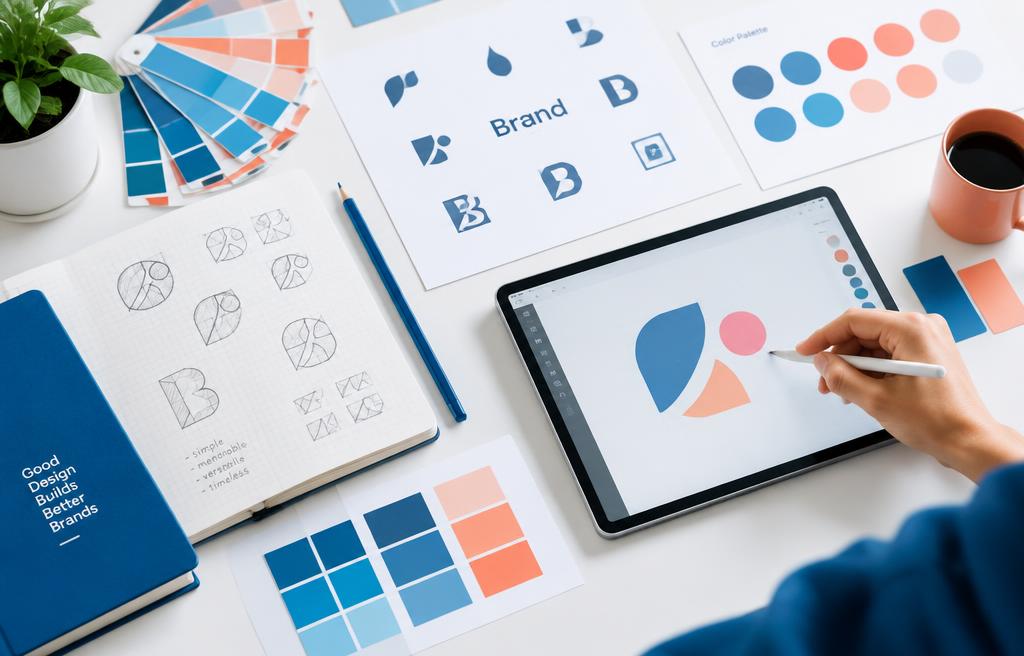
Design principles, typography, color, and real-world branding projects with Photoshop and Illustrator.

  • 1 month (4 weeks)
  • 20 topics
  • Final exam
Book a trainer
Graphic Design

Your learning path

4 weeks from start to certificate

  1. 1

    Week 1

    Design foundations

  2. 2

    Week 2

    Photoshop

  3. 3

    Week 3

    Illustrator

  4. 4

    Week 4

    Branding project

  5. Finish

    Exam & certificate

Every week

How each week works

Learn

Live class with your trainer

Practice

Guided hands-on exercises

Build

Mini project for your portfolio

Review

Feedback and Q&A

Concept lab

See how the core concepts connect

Follow the path from foundations to real workplace application. Every concept feeds the next project.

1

Week 1

Introduction to Graphic Design

2

Week 1

Design Principles

3

Week 2

Photoshop Interface & Navigation

4

Week 2

Selections & Layer Masks

5

Week 3

Illustrator Interface & Paths

6

Week 3

Shapes & Pathfinder Operations

7

Week 4

Understanding Branding

8

Week 4

Logo Design Process

Topics per week

20 topics · 78 lessons
Week 15
Week 25
Week 35
Week 45

Course curriculum

1

Week 1 · 5 topics · 19 lessons

Design foundations

By the end of this week: Learners will be able to identify and apply fundamental design principles to create visually appealing compositions.

  1. 1.1Introduction to Graphic Design
    • What is graphic design?
    • Key roles & industries
    • Software overview
  2. 1.2Design Principles
    • Hierarchy & emphasis
    • Balance & alignment
    • Contrast & repetition
    • Proximity & unity
  3. 1.3Color Theory
    • Color models (RGB, CMYK)
    • Color wheel & harmonies
    • Psychology of color
    • Accessible color palettes
  4. 1.4Typography Fundamentals
    • Type classifications
    • Font anatomy & pairing
    • Readability & legibility
    • Hierarchy with type
  5. 1.5Image & Layout Basics
    • Raster vs. vector graphics
    • Image resolution & size
    • Grid systems & margins
    • Visual flow & white space
Week 1
Design foundations
Introduction to Graphic Design
Design Principles
Color Theory
Typography Fundamentals
Image & Layout Basics

Hands-on project

Basic Poster Design

2

Week 2 · 5 topics · 19 lessons

Photoshop

By the end of this week: Learners will master essential Photoshop tools for image manipulation, photo retouching, and digital painting.

  1. 2.1Photoshop Interface & Navigation
    • Workspace & panels
    • Toolbar & shortcuts
    • Document setup & saving
  2. 2.2Selections & Layer Masks
    • Selection tools (Lasso, Magic Wand)
    • Quick Selection & Refine Edge
    • Understanding layer masks
    • Non-destructive editing
  3. 2.3Image Adjustments & Retouching
    • Adjustment Layers (Curves, Levels)
    • Color Correction (Hue/Saturation)
    • Healing Brush, Clone Stamp
    • Sharpening & blurring
  4. 2.4Working with Text & Shapes
    • Type tool & character panel
    • Paragraph styles
    • Shape tools & paths
    • Smart Objects & vectors
  5. 2.5Compositing & Exporting
    • Blending modes
    • Layer styles & effects
    • Preparing for web & print
    • Export As & Save For Web
Week 2
Photoshop
Photoshop Interface & Navigation
Selections & Layer Masks
Image Adjustments & Retouching
Working with Text & Shapes
Compositing & Exporting

Hands-on project

Magazine Cover Design

3

Week 3 · 5 topics · 20 lessons

Illustrator

By the end of this week: Learners will competently use Illustrator to create scalable vector graphics, logos, and intricate illustrations.

  1. 3.1Illustrator Interface & Paths
    • Vector vs. raster explained
    • Workspace & panels
    • Pen tool basics
    • Direct Selection tool
  2. 3.2Shapes & Pathfinder Operations
    • Basic shape tools
    • Pathfinder panel modes
    • Compound paths
    • Using Shape Builder
  3. 3.3Color, Strokes & Gradients
    • Swatches & Global Colors
    • Gradients (linear, radial)
    • Appearance panel
    • Custom brushes & patterns
  4. 3.4Text & Layout in Illustrator
    • Point type vs. Area type
    • Text on a path
    • Paragraph & Character styles
    • Creating outlines
  5. 3.5Working with Artwork & Export
    • Layers & groups
    • Image Trace function
    • Artboards for multiple assets
    • Export for web & print
Week 3
Illustrator
Illustrator Interface & Paths
Shapes & Pathfinder Operations
Color, Strokes & Gradients
Text & Layout in Illustrator
Working with Artwork & Export

Hands-on project

Icon Set & Infographic

4

Week 4 · 5 topics · 20 lessons

Branding project

By the end of this week: Learners will develop a comprehensive brand identity from concept to final assets, showcasing a professional portfolio piece.

  1. 4.1Understanding Branding
    • What is a brand?
    • Brand identity vs. brand image
    • Target audience analysis
    • Competitive research
  2. 4.2Logo Design Process
    • Brainstorming & sketching
    • Vectorizing concepts in AI
    • Logo types (wordmark, emblem)
    • Brand mark variations
  3. 4.3Brand Guidelines Development
    • Color palettes (primary/secondary)
    • Typography hierarchy
    • Usage rules (clear space)
    • Visual language elements
  4. 4.4Applying Brand Identity
    • Business cards & letterheads
    • Social media assets
    • Website mockups (basic)
    • Merchandise applications
  5. 4.5Presentation & Portfolio
    • Mockups & presentations
    • Client feedback integration
    • Portfolio best practices
    • Sharing your work online
Week 4
Branding project
Understanding Branding
Logo Design Process
Brand Guidelines Development
Applying Brand Identity
Presentation & Portfolio

Hands-on project

Full Brand Identity Kit

Final exam & certificate

Finish the 4 weeks, then take the online exam. Score 70% or more to pass.

Job-ready syllabus

Learn it. Build it. Explain it. Use it.

The syllabus goes beyond watching lessons. You practice the tasks employers expect, produce evidence of your skills, and prepare to discuss your work clearly.

Workplace skills

Apply Introduction to Graphic Design, Design Principles, Color Theory, Typography Fundamentals in guided business scenarios.

Portfolio proof

Complete 4 practical projects, including Basic Poster Design.

Professional practice

Present your work, respond to feedback, document decisions, and improve the final result.

Interview readiness

Review common role questions and explain your process, tools, trade-offs, and project outcomes.

Your completion pack

Weekly projects, trainer feedback, final assessment, and a certificate you can add to your résumé and LinkedIn profile.

Why learn from us?

Six reasons students pick M - IT Solutions

One-month programs built around live teaching, real projects and support that actually shows up.

Live online classes

Learn with a real instructor in real time — not pre-recorded videos you watch alone.

Hands-on projects

Every week ends with practical work you can show employers on day one.

1-on-1 trainer time

Stuck or want to go deeper? Book private sessions with a trainer whenever you need.

A real learning area

Lessons, progress tracking and exams all live in your account, on any device.

Trusted by companies

We train individuals and whole teams — from small businesses to enterprise programs.

Verified & supported

Verified accounts, real certificates and a support team that answers when you write.

1000+ learners trainedLive, instructor-ledProject-based every week
Home