← All courses

Microsoft Fabric

Unify data engineering, warehousing and BI with Microsoft Fabric.

  • 1 month (4 weeks)
  • 20 topics
  • Final exam
Book a trainer
Microsoft Fabric

Your learning path

4 weeks from start to certificate

  1. 1

    Week 1

    Fabric overview

  2. 2

    Week 2

    Data engineering

  3. 3

    Week 3

    Warehousing & real-time

  4. 4

    Week 4

    BI & governance

  5. Finish

    Exam & certificate

Every week

How each week works

Learn

Live class with your trainer

Practice

Guided hands-on exercises

Build

Mini project for your portfolio

Review

Feedback and Q&A

Concept lab

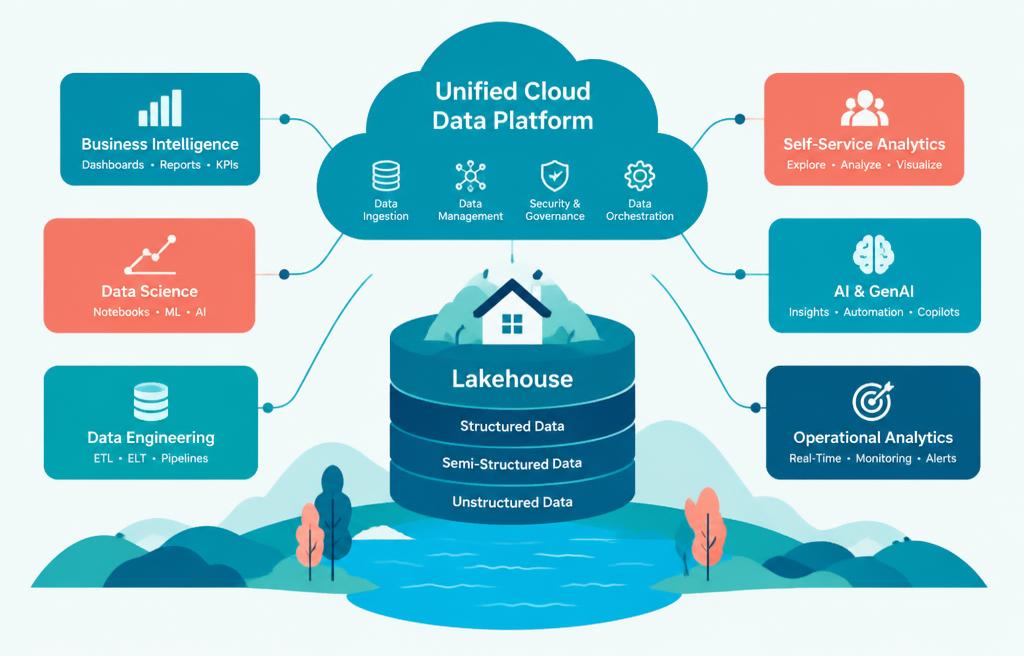
See how the core concepts connect

Follow the path from foundations to real workplace application. Every concept feeds the next project.

1

Week 1

Introduction to Microsoft Fabric

2

Week 1

Fabric Experience and Navigation

3

Week 2

Data Pipelines for Ingestion

4

Week 2

Dataflows Gen2 for Transformation

5

Week 3

Data Warehousing in Fabric

6

Week 3

T-SQL Queries and Performance

7

Week 4

Power BI with Fabric Data

8

Week 4

Semantic Models & DAX

Course curriculum

1

Week 1 · 5 topics · 20 lessons

Fabric overview

By the end of this week: Learners will be able to articulate the core components and architecture of Microsoft Fabric and navigate its environment.

  1. 1.1Introduction to Microsoft Fabric
    • What is Microsoft Fabric?
    • Key workloads: Data engineering, Synapse, Power BI
    • OneLake: The foundation for all data
    • Fabric vs. Azure Synapse Analytics
  2. 1.2Fabric Experience and Navigation
    • Fabric user interface tour
    • Workspaces, items, and settings
    • Monitoring and administration basics
    • Permissions and roles in Fabric
  3. 1.3OneLake Fundamentals
    • OneLake: A single, logical data lake
    • Shortcuts for data virtualization
    • OneLake security model
    • Accessing data through OneLake
  4. 1.4Getting Data into Fabric
    • Data ingestion strategies
    • Data pipelines overview
    • Copy data activity configuration
    • Connecting to various data sources
  5. 1.5Lakehouses in Fabric
    • Lakehouse architecture and purpose
    • Tables and files in Lakehouse
    • Managing data within a Lakehouse
    • Delta Lake format basics
Week 1
Fabric overview
Introduction to Microsoft Fabric
Fabric Experience and Navigation
OneLake Fundamentals
Getting Data into Fabric
Lakehouses in Fabric

Hands-on project

Fabric environment setup & Data ingestion

2

Week 2 · 5 topics · 20 lessons

Data engineering

By the end of this week: Learners will be proficient in performing data ingestion, transformation, and orchestration using Fabric's data engineering tools.

  1. 2.1Data Pipelines for Ingestion
    • Designing data pipelines
    • Using Copy Data activity
    • Data transformations within pipelines
    • Scheduling and monitoring pipelines
  2. 2.2Dataflows Gen2 for Transformation
    • Introduction to Dataflows Gen2
    • Power Query experience in Fabric
    • Loading data to Lakehouse
    • Advanced data shaping techniques
  3. 2.3Spark Notebooks for Data Processing
    • Introduction to Spark in Fabric
    • PySpark for data manipulation
    • Writing data to Lakehouse tables
    • Monitoring Spark job execution
  4. 2.4Orchestration with Data Pipelines
    • Connecting various Fabric items
    • Conditional logic in pipelines
    • Error handling and logging
    • Triggering pipelines automatically
  5. 2.5Data Engineering Best Practices
    • Incremental data loading
    • Data quality and validation
    • Performance tuning Spark jobs
    • Data lineage and governance considerations
Week 2
Data engineering
Data Pipelines for Ingestion
Dataflows Gen2 for Transformation
Spark Notebooks for Data Processing
Orchestration with Data Pipelines
Data Engineering Best Practices

Hands-on project

ETL pipeline for customer data

3

Week 3 · 5 topics · 20 lessons

Warehousing & real-time

By the end of this week: Learners will master building and optimizing data warehouses, and understand real-time analytics capabilities within Fabric.

  1. 3.1Data Warehousing in Fabric
    • Dedicated SQL endpoint overview
    • Creating and managing Data Warehouses
    • Loading data into Warehouse tables
    • Warehouse vs. Lakehouse use cases
  2. 3.2T-SQL Queries and Performance
    • Optimizing SQL queries
    • Indexing strategies for performance
    • Data distribution and partitioning
    • Warehouse security and access control
  3. 3.3Real-time Analytics with KQL
    • Introduction to Kusto Query Language
    • Eventstream for real-time ingestion
    • KQL Database creation
    • Analyzing streaming data with KQL
  4. 3.4Monitoring and Alerting
    • Monitoring KQL databases
    • Setting up real-time alerts
    • Integrating with Azure services
    • Dashboarding real-time insights
  5. 3.5Data Integration Patterns
    • Hybrid transactional/analytical processing (HTAP)
    • Change Data Capture (CDC)
    • Batch vs. real-time integration
    • Choosing the right integration tool
Week 3
Warehousing & real-time
Data Warehousing in Fabric
T-SQL Queries and Performance
Real-time Analytics with KQL
Monitoring and Alerting
Data Integration Patterns

Hands-on project

Data Warehouse & Real-time Analytics

4

Week 4 · 5 topics · 20 lessons

BI & governance

By the end of this week: Learners will be able to create compelling Power BI reports from Fabric data, implement robust data governance, and understand administration.

  1. 4.1Power BI with Fabric Data
    • Direct Lake connection mode
    • Connecting to Lakehouse data
    • Building reports from Warehouse
    • Optimizing Power BI for Fabric
  2. 4.2Semantic Models & DAX
    • Creating semantic models
    • DAX basics for calculations
    • Measures, columns, relationships
    • Best practices for semantic models
  3. 4.3Fabric Administration & Security
    • Admin portal and tenant settings
    • Workspace roles and access
    • Row-Level Security (RLS) implementation
    • Object-Level Security (OLS)
  4. 4.4Data Governance in Fabric
    • Data catalog and discovery
    • Lineage view for data flow
    • Data quality monitoring
    • Compliance and regulatory considerations
  5. 4.5Deployment and Lifecycle Management
    • Deployment pipelines overview
    • Promoting content across stages
    • Version control integration
    • Monitoring and auditing Fabric
Week 4
BI & governance
Power BI with Fabric Data
Semantic Models & DAX
Fabric Administration & Security
Data Governance in Fabric
Deployment and Lifecycle Management

Hands-on project

Fabric Data Governance Strategy

Final exam & certificate

Finish the 4 weeks, then take the online exam. Score 70% or more to pass.

Job-ready syllabus

Learn it. Build it. Explain it. Use it.

The syllabus goes beyond watching lessons. You practice the tasks employers expect, produce evidence of your skills, and prepare to discuss your work clearly.

Workplace skills

Apply Introduction to Microsoft Fabric, Fabric Experience and Navigation, OneLake Fundamentals, Getting Data into Fabric in guided business scenarios.

Portfolio proof

Complete 4 practical projects, including Fabric environment setup & Data ingestion.

Professional practice

Present your work, respond to feedback, document decisions, and improve the final result.

Interview readiness

Review common role questions and explain your process, tools, trade-offs, and project outcomes.

Your completion pack

Weekly projects, trainer feedback, final assessment, and a certificate you can add to your résumé and LinkedIn profile.

Why learn from us?

Six reasons students pick M - IT Solutions

One-month programs built around live teaching, real projects and support that actually shows up.

Live online classes

Learn with a real instructor in real time — not pre-recorded videos you watch alone.

Hands-on projects

Every week ends with practical work you can show employers on day one.

1-on-1 trainer time

Stuck or want to go deeper? Book private sessions with a trainer whenever you need.

A real learning area

Lessons, progress tracking and exams all live in your account, on any device.

Trusted by companies

We train individuals and whole teams — from small businesses to enterprise programs.

Verified & supported

Verified accounts, real certificates and a support team that answers when you write.

1000+ learners trainedLive, instructor-ledProject-based every week
Home